In December 2025, I started testing this setup for recording local meetups.
Motivation and focus
For years, I was hoping to figure out a way to record high quality recordings of the talks in meetups like Turku ❤️ Frontend and archipylago.
I initially wanted to find someone who would be interested in joining the team as a “video producer”, ie. someone who could take care of the entire process: owning the gear, setting it up at the events, recording, editing and publishing. Other than a couple of individual events, I wasn’t able to find someone with enough interest to do that for the meetup.
So I then turned into a different type of focus: can I build a system that I, as an organiser with many responsibilities during an event could run to record stuff.
I spend most of the time at an event organising, socialising and so on and sitting on a computer or setting up complex setups and watching them isn’t in the cards for me. So my setup has tradeoffs for ease-of-use and standardised setup over customisation.
I also want to do minimal editing later. My goal is a setup where all I have to do after the event is to cut out excess from beginning and the end, write captions and publish. That’s why I want a single feed recording with all the graphical elements already in place. I can spend an extra couple of hours before the event to set those up but if I have to do a lot of editing afterwards, it’s gonna take months to get videos out.
Another requirement is that for the speaker, this needs to be a zero effort setup. They plug their laptop into HDMI like they would normally do and put on the mic and that’s it. No settings, no screen recording, nothing.
Gear
My gear includes:
- Macbook Pro M4
- Røde Wireless GO microphone setup with Røde Lavalier GO mic
- A mobile phone for camera
- Elgato Game Capture Neo
- USB DAC audio card that came with Logitech G433
- Stream Deck
- a tripod with a phone mount
- cables (HDMI, USB C-C extension cable, USB C-A to connect capture card to laptop, audio cables)
and I use OBS for setting up layouts and recording.
How to use
Camera
For camera, I set up my phone to the tripod and open up VDO.ninja on my phone, give it access to the camera and start streaming.
It’s a really cool service where you can go to the site with any device, stream its camera and then open it anywhere else and you can see what the first device sees. I believe it’s originally built for OBS so the integration is seamless.
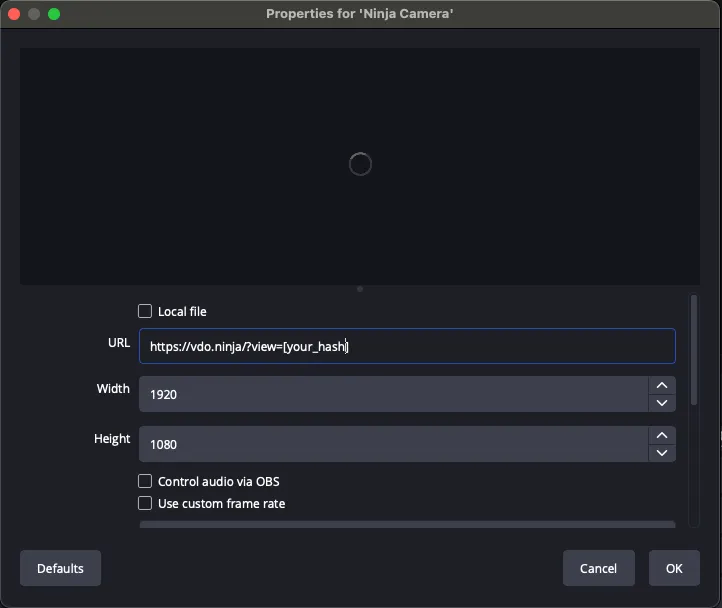
In OBS, you add a new Browser source and point it to the same URL as with the camera device and that’s it.
What’s cool is that you can use the same URL the next time so there’s zero new configuration in OBS.
Microphone
I set up the lav mic with Røde transmitter and plug the Røde receiver into G433 DAC and then the DAC to my laptop.
Presenter material
I connect Neo capture card between the projector/TV and speaker’s laptop so that the speaker just needs to plugin HDMI into their machine.
I then connect Neo to my laptop with USB-C and instruct the speaker to connect their video and audio to Neo.
OBS
Before the event day, I set up pre-defined layouts for each speaker, including their talk info, event and sponsor logos and space for camera feed and slides.
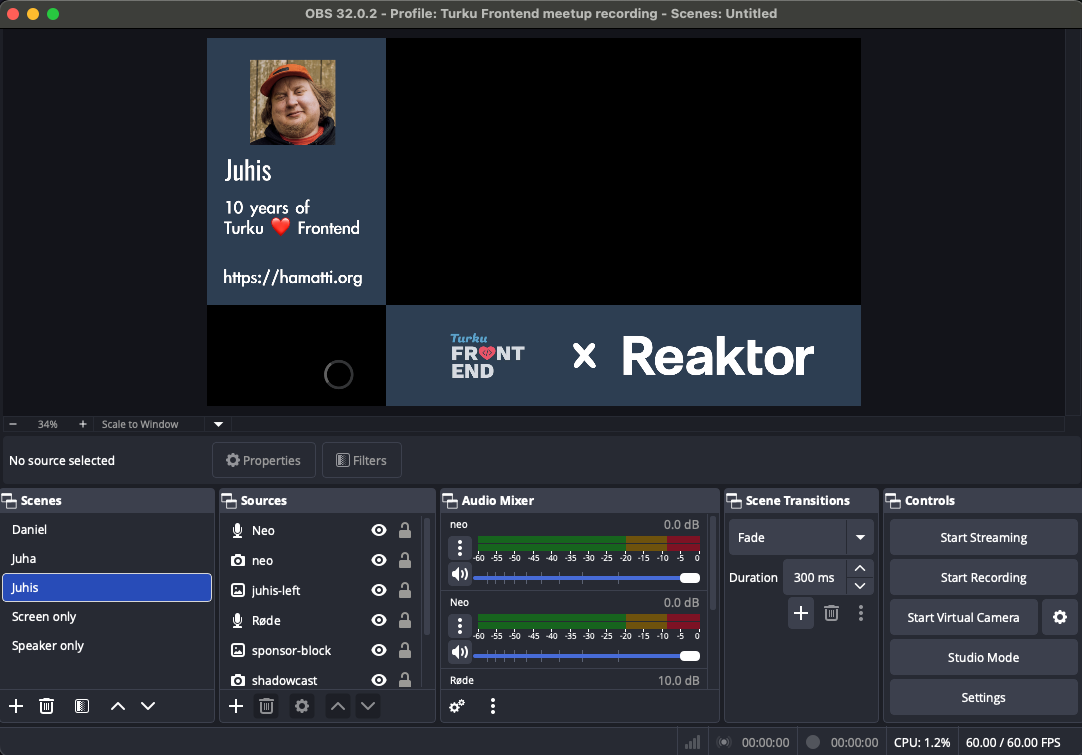
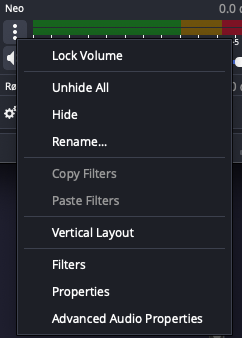
I add audio inputs from the mics and the capture card and have set both of them with Monitor and Output setting so if needed, I can check with my headphones to make sure audio is picking up properly.

This setting can be found by going to Advanced Audio Properties from any audio input:
I then set up a different scene for each speaker as well as “Speaker only” and “Screen only” that have fullscreen setup for only the camera and capture card respectively, just in case.
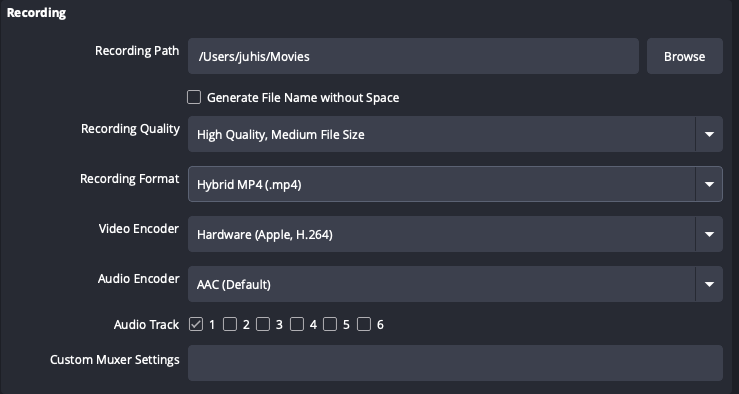
For the first event, these were my recording settings in OBS that I picked up from some Youtube video. I don’t understand any of that so I’ll be experimenting with different settings in the future.
Stream Deck
In Stream Deck, I have buttons to start/stop recording and one for each speaker.
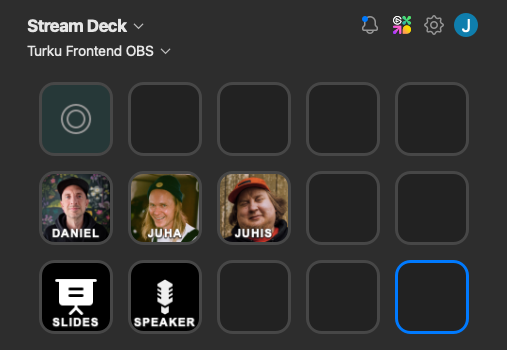
The idea is that during an event, I only have to touch icons on the Stream Deck and that enables me to run these while being an MC and hanging out with people — even recording my own talks.
Output
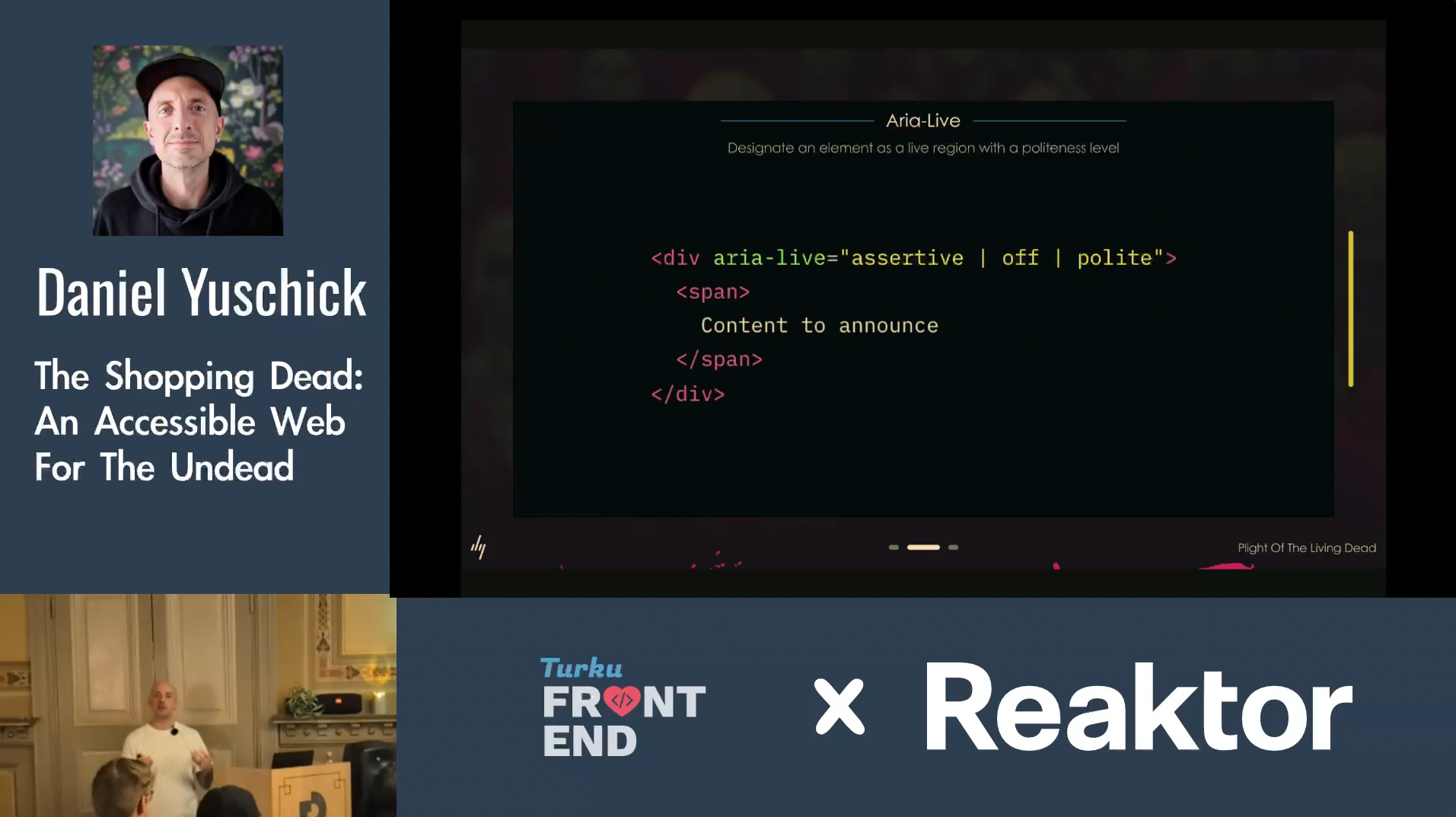
Here’s a screenshot of what the end result in the video looked like.
Current state
I’m really happy with the setup.
I ran all of this on battery power: my phone went from 100% to 33% (in the future, I might consider hooking up a battery bank to my tripod), the mics lasted all night easily and the laptop’s amazing battery life barely got a hit.
The one downside is that this requires an HDMI setup. These days, a lot of companies have setups with Apple TV or some Smart TV wireless setup and it can be a challenge to plug in an HDMI cable and I can only capture through HDMI.
I hope that in 2026, we’re able to record more of our talks — always with the full decision power being on the speaker’s side. They get to decide if we record at all and they get the recording to themselves with full power to decide if we’ll publish them or not. I don’t want anyone to not give a talk because they don’t want it to be online forever.
I keep it all in a GoPro carrying case, it fits everything I need nice and tidy and in an easy grab-and-go form so I don’t have to go around looking for bits and pieces in a hurry when I need to leave for the meetup.
Improvement ideas
My USB extension cable is bit on the shorter side which makes it harder to setup the recording “booth” in many spaces.
I would also like to have an extra power bank that I could hang from the tripod so that I could provide power to my phone (that’s used as a camera) for longer sessions.