SpellTable is a tool made by Wizards of the Coast for Magic the Gathering. You need a Magic account to use it but that’s free to sign up for. However, you can use it to play anything over a webcam. I use it mainly for Pokemon TCG.
Here’s a quick tutorial to get started. If you’re introducing a new friend to play with you, you can send a link to this to them and avoid LARPing IT support.

Once you’re logged in, Create a new game

When creating a game, give it any name, doesn’t really matter for private games. Then select Standard for the format as that’s a 2 player format. The format itself doesn’t matter but it needs to be a two-player format (so Commander, Brawl Multiplayer and Two Headed Giant are bad options).
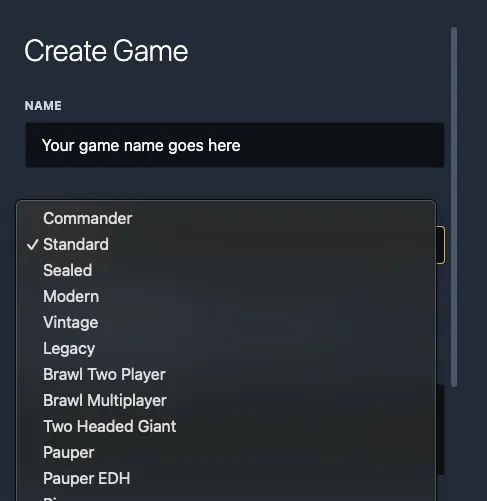
Keep the Make game public? unchecked and you can leave the description empty.
As you join your game, you need to give the browser permission to your webcam and microphone.
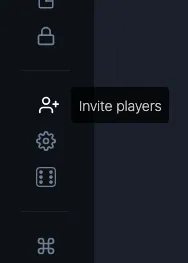
Once you’re in, from the left sidepanel (if it’s not visible, you can hover on the left side and it’ll appear) select the person icon to invite friends.
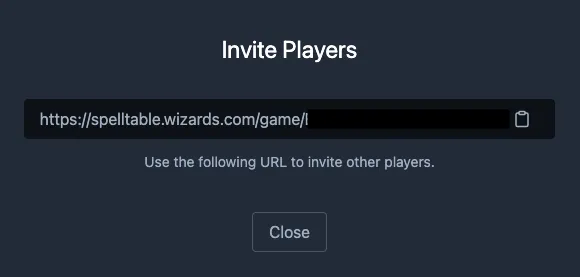
Then share the link to your game with your friend and you’re ready to game.
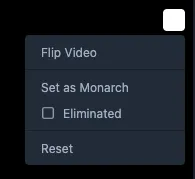
You can choose how you want your and your opponent’s video feed to look like by clicking on the three dots on the top right of video and choose “Flip”.