When you’re working with writing subtitles while using IINA: The modern media player for macOS, it’s handy to be able to reload the changes. This can be achieved by binding a keyboard shortcut to mkv command sub-reload.
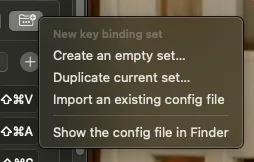
Go to Settings → Key Bindings → Create a config for yourself.

Hit the plus button to create a new key binding.
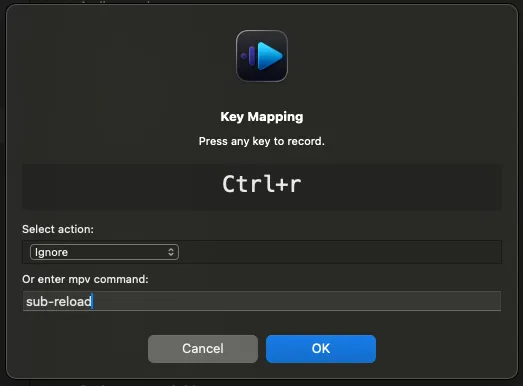
Choose your shortcut and add sub-reload as command.
Now, once you save the changes to subtitle file, go back to IINA and hit your shortcut.